

A dashboard for the family
Drag-and-drop widgets, six ready-made layouts. Each family member gets their own. Nothing technical to learn.
KODE OS turns a Raspberry Pi into a calm, private home for your apps, files and photos. No accounts. No telemetry. Just yours.
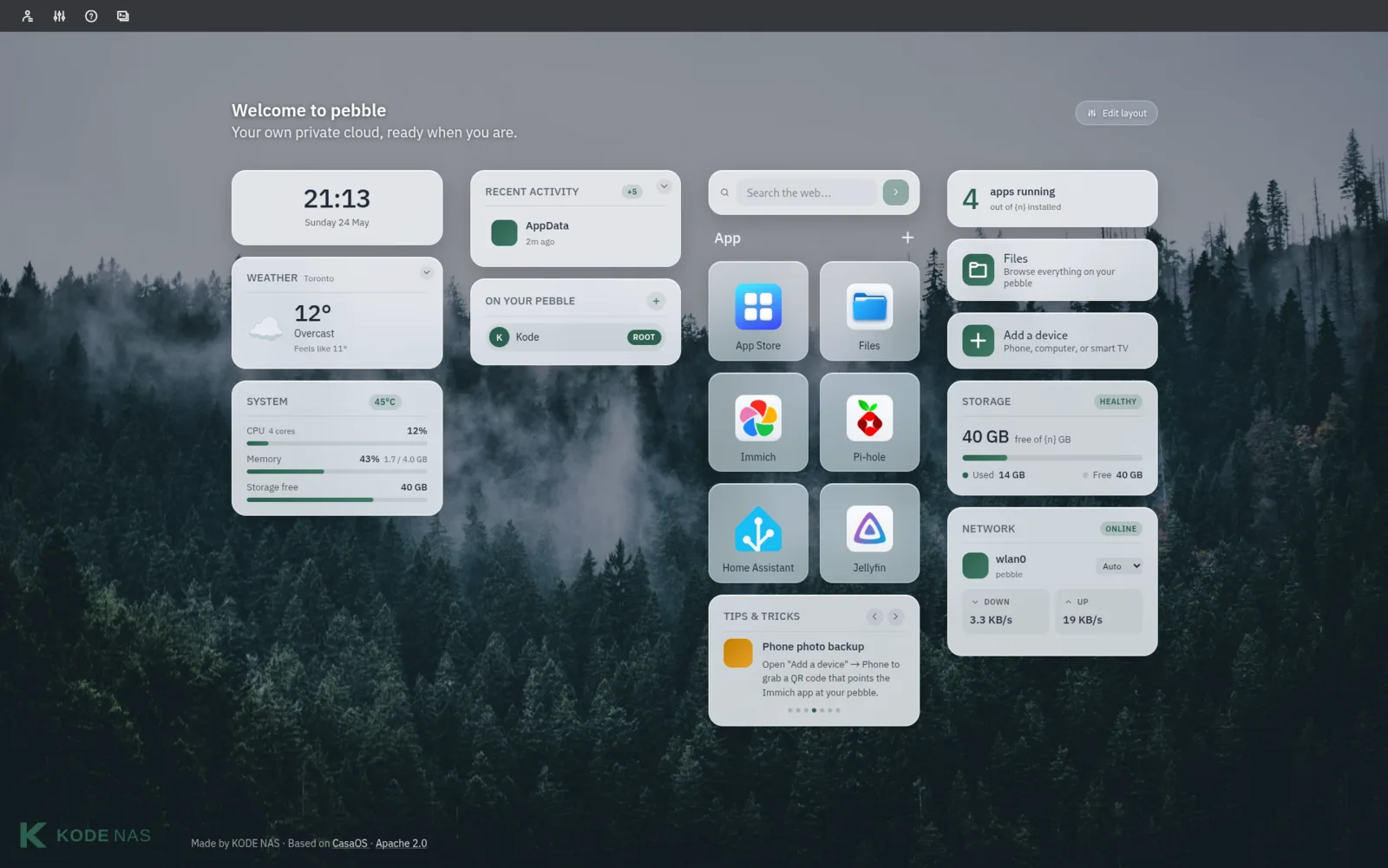
KODE OS hides the wiring and surfaces the things people actually do — photos, files, apps, accounts.
Drag-and-drop widgets, six ready-made layouts. Each family member gets their own. Nothing technical to learn.
A guided first-boot wizard walks you through Wi-Fi, accounts and your first apps. No terminal required.
Add a profile for each person in the house. Kids can sign in, parents stay in control, everyone keeps their own space.
No accounts to sign up for. No analytics. No phone-home updates. Your pebble stays on your network — and stays yours.
Photos, file sharing, movies, smart home, ad-blocking, more. Browse the built-in catalogue and install with one tap.
Apache 2.0 licensed. Built on CasaOS. Every line of code lives on GitHub — yours to read, fork or contribute back.
KODE OS ships as a single image based on Raspberry Pi OS Lite — you flash it once and boot. No terminal, no install script.
Grab the latest .img.xz from the GitHub release. About 475 MB compressed.
Open Raspberry Pi Imager, pick “Use custom”, choose the .img.xz, and write it to your SD card.
Plug in power and ethernet. After a few minutes, open http://pebble.local/ in any browser on your network.
# Optional: verify the download before flashing
curl -fLO https://github.com/KodeNAS/kode-os/releases/download/v0.2.0-alpha/kode-os-v0.2.0-alpha-pi5-lite.img.xz.sha256
sha256sum -c kode-os-v0.2.0-alpha-pi5-lite.img.xz.sha256
Tested on Raspberry Pi 5 (4 GB). The 8 GB model is expected to work but is unverified this release. Pi 4 support is on the roadmap — track it on GitHub.
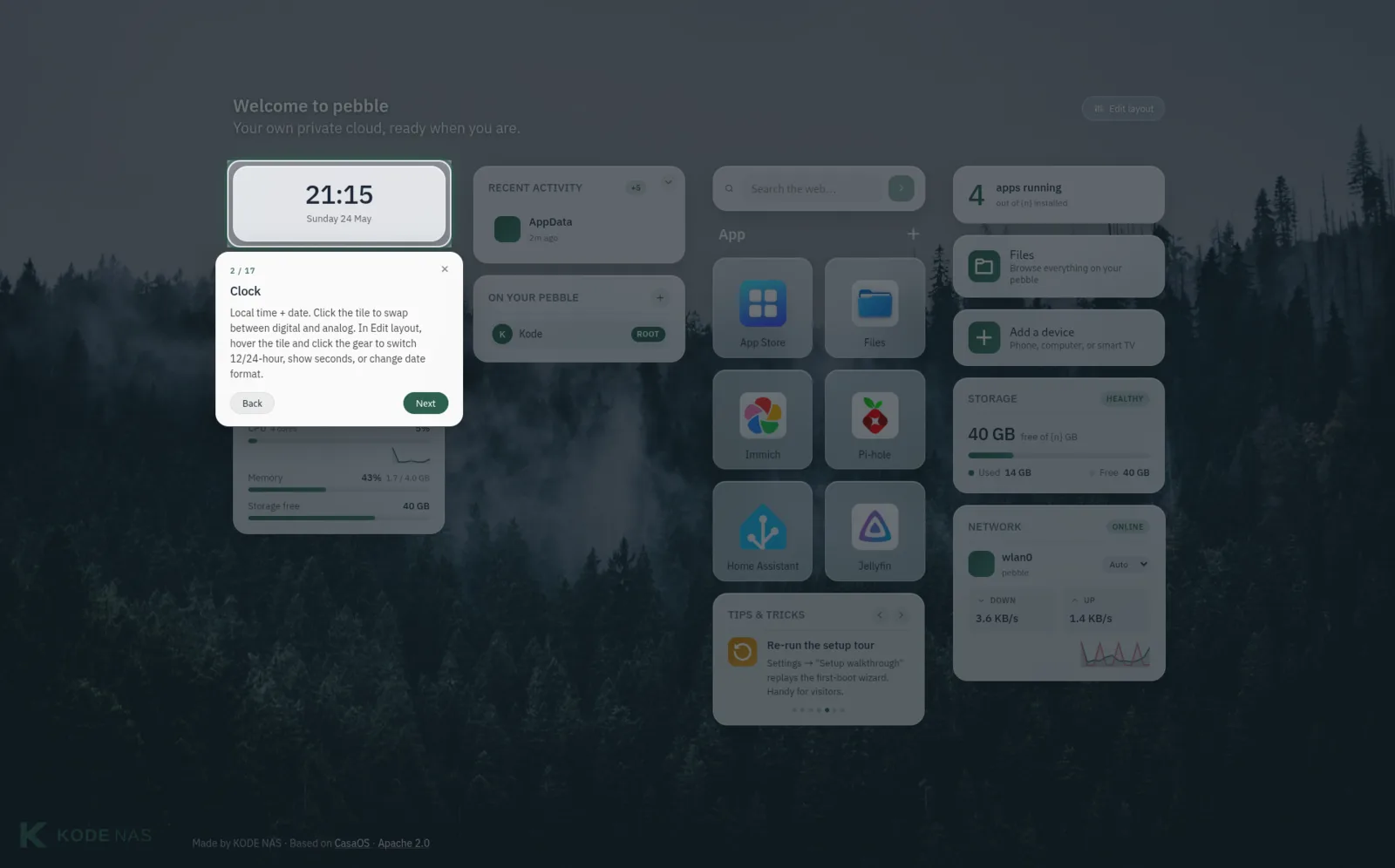
Each widget and each app comes with a built-in walkthrough — no separate manual to hunt for.
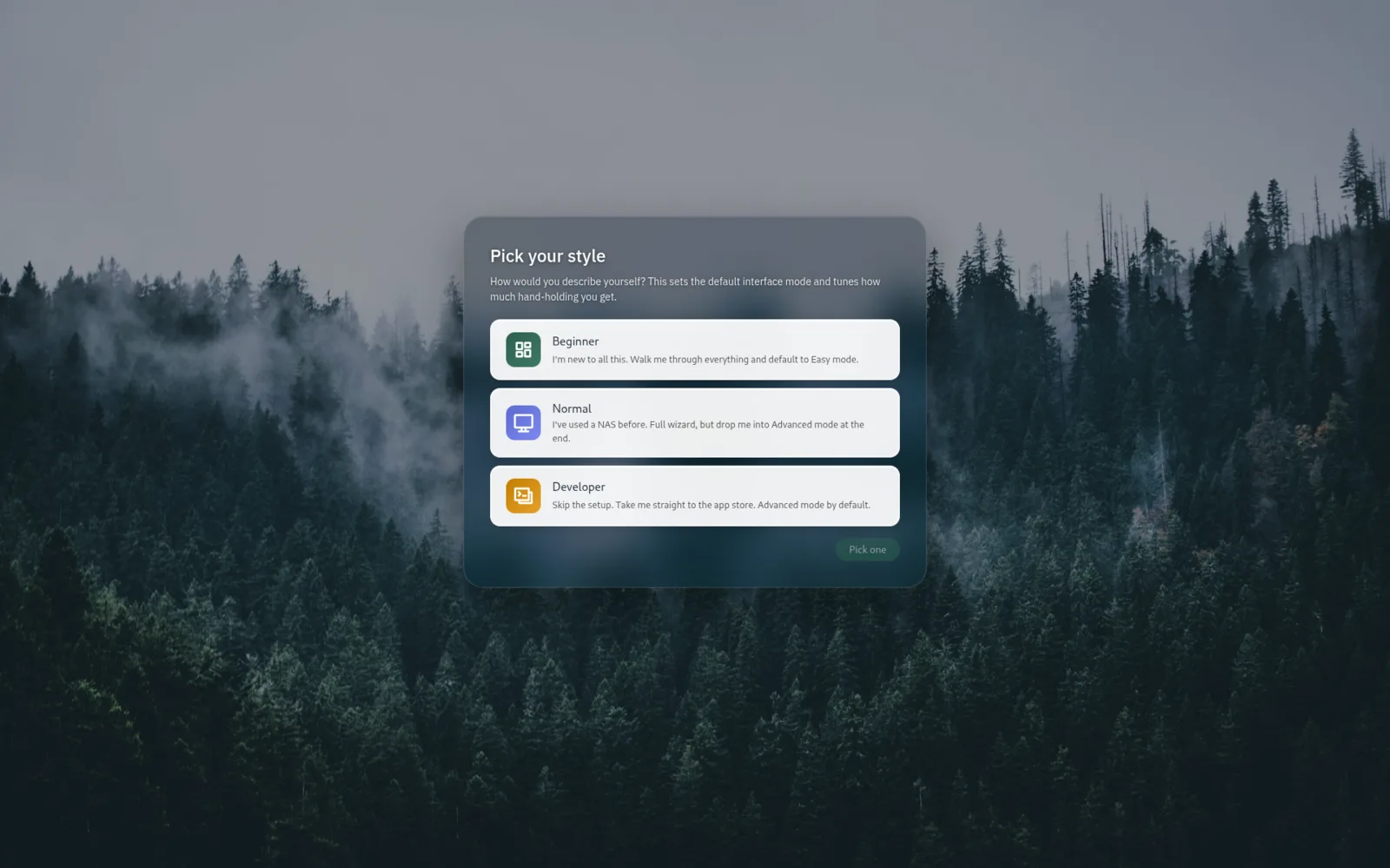
Beginner mode hides anything technical. Switch later from settings.
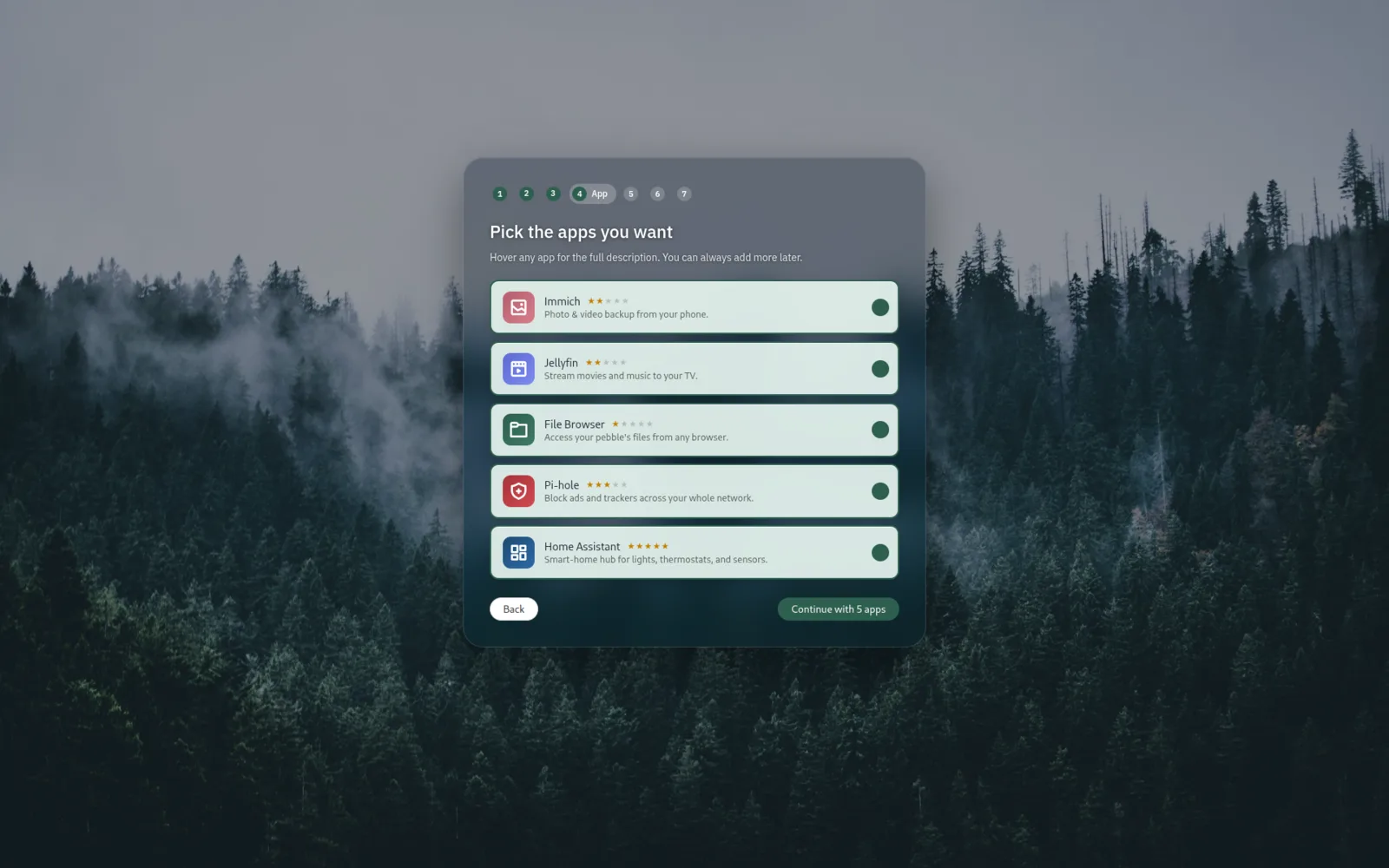
Browse a curated catalogue on first boot. Apps install while you finish setting up.
The OS underneath and the dashboard on top live in separate repos. Easier to read, easier to ship.
the system
Installer, OLED display daemon, branding, system services. Run this on a fresh Raspberry Pi 5 and you have a pebble.
Visit on GitHubthe dashboard
The web dashboard your family signs into. Vue 2 on Bulma + Buefy. Lives in its own repo so we can ship UI updates without re-flashing the SD card.
Visit on GitHubKODE OS is a fork of CasaOS — the same calm, technical foundation, polished into something a non-technical family member can sign into. Every commit lives on GitHub. Issues and pull requests welcome.